
Do you want to connect Mailercloud to your WordPress website?
Mailercloud email marketing platform helps businesses create, send, and automate email campaigns. It includes features such as a drag-and-drop email builder, automation workflows, web forms, and analytics to track campaign performance.
Integrating WordPress with Mailercloud allows you to collect subscribers and create newsletters for your contact list.
FuseWP allows you to integrate your WordPress site with your Mailercloud account to sync captured leads and email subscribers to your contact list.
To connect your Mailercloud account with FuseWP, follow the guide below.
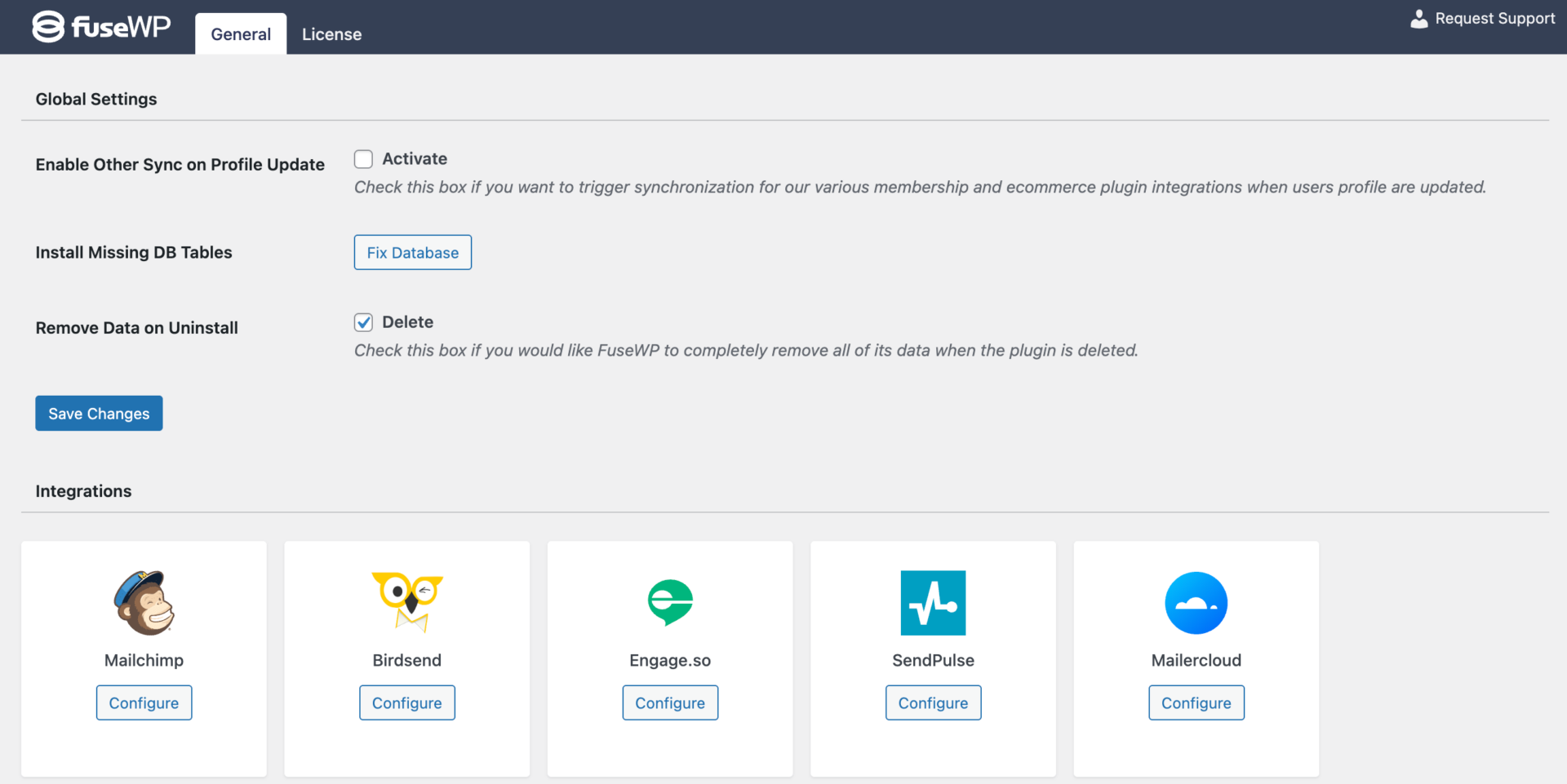
Go to FuseWP >> Settings and click the “Configure” button in the Mailercloud section to reveal the modal settings.
Enter your Mailercloud API Key in the configuration modal and save.
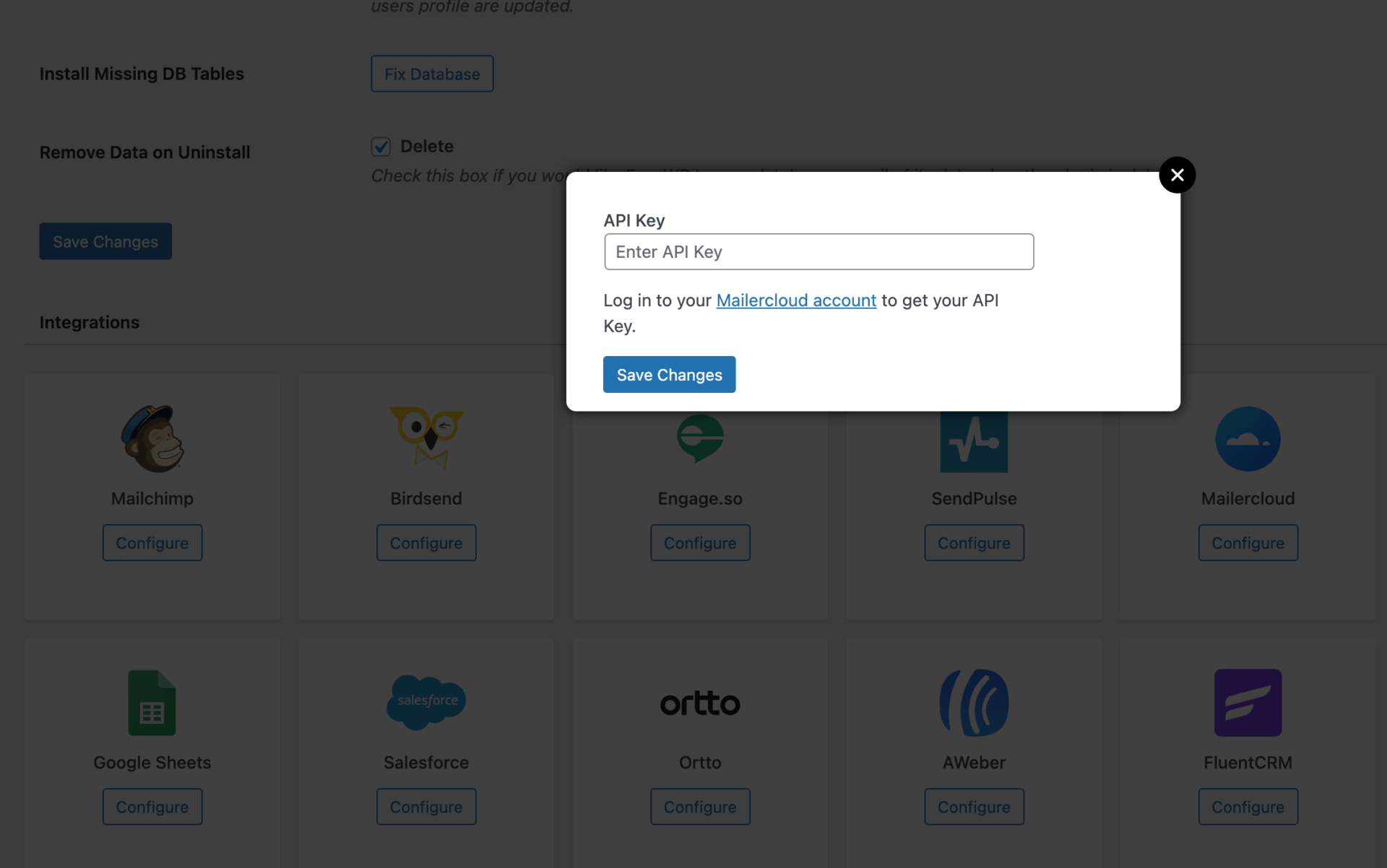
Getting your Mailercloud API Key
To get the API Key of your Mailercloud account, follow the steps below.
Log in to your account, navigate to Account >> integrations >> API Key, and click the Create API Key button.
Enter MailOptin as the API name and submit.
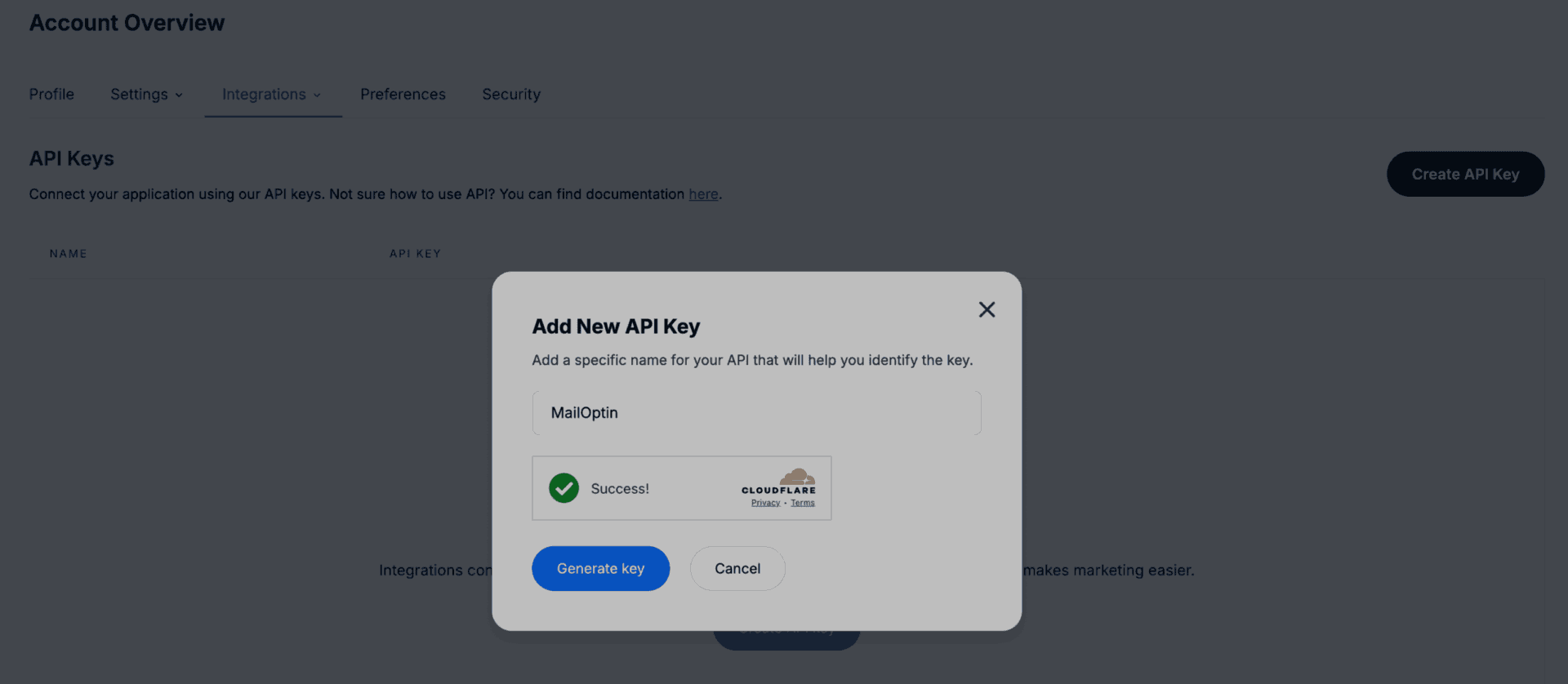
You should see your API key displayed. Copy it to your clipboard.
Having completed the integration, you can now sync WordPress users to Mailercloud, leads, customers, and members in various WordPress ecommerce, LMS, forms, and membership plugins to Mailercloud.
FuseWP supports WooCommerce, WooCommerce Memberships, WooCommerce Subscriptions, Easy Digital Downloads, MemberPress, Gravity Forms, WPForms, Contact Form 7, Everest Forms, Formidable Forms, Ninja Forms, SureForms, WS Form, ProfilePress, Paid Memberships Pro, Restrict Content Pro, LearnDash, LifterLMS, Tutor LMS, Sensei LMS, MasterStudy LMS, GiveWP, Academy LMS, Paid Member Subscriptions, WP Travel Engine, FluentCommunity, AffiliateWP, SliceWP etc.
Connect WordPress to Mailercloud Today
Integrating Mailercloud with your WordPress website can significantly enhance your email marketing efforts. By improving the process of collecting subscribers and managing your contact list, you can focus more on creating content and nurturing your audience.
By following the steps outlined to connect your Mailercloud account using FuseWP, you can seamlessly sync leads and ensure your marketing strategies are efficient and impactful.
Connect your WordPress site to Mailercloud today and take your newsletter growth to the next level.