
Running a membership site with Paid Memberships Pro and want new members to choose whether they join your mailing list when they check out?
By default, FuseWP adds every new Paid Memberships Pro member to your email marketing software or CRM as soon as your sync rules match their level. With the opt-in checkbox, the PMPro checkout gets a consent box, and only members who tick it are subscribed. Everyone still gets their membership.
This guide covers turning the checkbox on, where members see it, how it affects your Paid Memberships Pro sync rules, and what to test if your payment gateway sends members to another site to pay. The Paid Memberships Pro checkout checkbox is part of FuseWP Pro.
What You Need
- FuseWP Pro with Paid Memberships Pro active.
- One or more Paid Memberships Pro sync rules, for example one that adds Gold level members to a “Gold Members” list and moves them off it when their membership expires. If you haven’t created one, see how to sync Paid Memberships Pro to your email marketing software.
Turning On Consent for PMPro Checkout
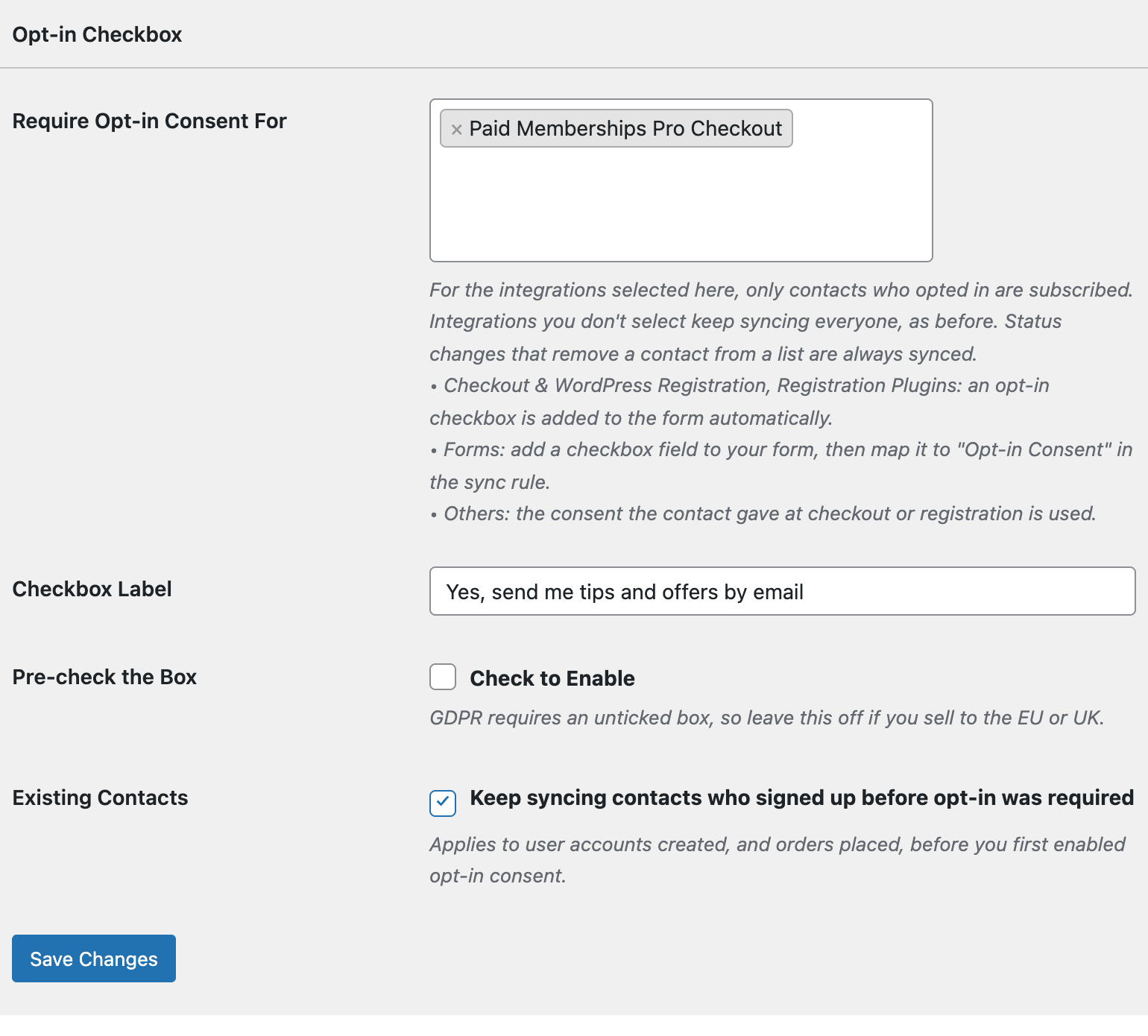
Go to FuseWP >> Settings >> General and scroll to Opt-in Checkbox.
In Require Opt-in Consent For, look under Checkout & WordPress Registration: adds an opt-in checkbox and pick Paid Memberships Pro Checkout. The option only shows up while Paid Memberships Pro is active.
Write a Checkbox Label that suits your members, such as “Send me member updates and new content alerts”, then click Save Changes.
On the Checkout Page
The checkbox sits at the bottom of the PMPro checkout, right above the Submit and Check Out button, after the account and payment fields. It applies to every membership level’s checkout.
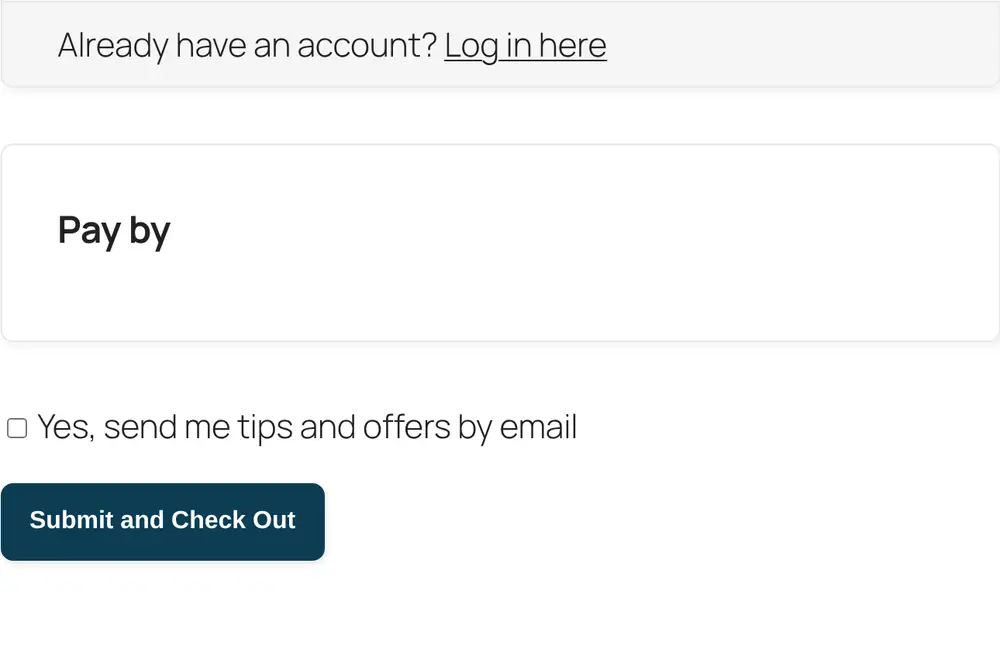
A logged-in member who has already opted in won’t see the box again when they upgrade or switch levels. A logged-in member who never opted in will see it, and can tick it during that checkout.
Sync Rules This Controls
Selecting Paid Memberships Pro Checkout requires consent for your Paid Memberships Pro sync rules. Those rules only add a member to a list once FuseWP knows the member opted in. Other integrations on your site carry on as before unless you select them too.
Because consent is tied to the person, a member who already opted in elsewhere on your site, such as on your WordPress registration form, counts as opted in at PMPro checkout as well.
Taking members off lists isn’t affected. When a membership is cancelled or expires, the sync rule that removes the member from a list still runs, whether or not they ever ticked the box.
When Consent Is Recorded
FuseWP reads the tick from the checkout form when the member submits it. It records the consent before Paid Memberships Pro assigns the level, so the level change that triggers your sync rule already sees the member as opted in.
Off-site Payment Gateways
Some gateways, PayPal Standard for example, send the member to the gateway’s own site to pay and only finish the checkout once the member comes back or the gateway notifies your site. That later step happens in a separate request, and the checkbox is not part of it.
Gateways differ in how they hand the member back, so place a test order with your own gateway before relying on it. Tick the box, pay, and confirm the test member was added to your list. Then repeat with the box unticked and confirm they weren’t.
Members You Already Have
Members who joined before you first turned on opt-in keep syncing when Existing Contacts is on, so their renewals and level changes don’t stop. If you want everyone to opt in, untick Existing Contacts and only members with a consent record will be added to lists from then on. For more on old members, consent records and GDPR export and erasure, read Existing Contacts, Privacy & FAQ.
Bulk syncs follow the same rule. When you push existing members to a list with bulk sync, only members who opted in, or who joined before opt-in was required, are added.
Conclusion
With the opt-in checkbox above the Submit and Check Out button, your Paid Memberships Pro lists only grow with members who asked to hear from you, and nobody is blocked from buying a membership. Run one test checkout through your gateway, ticked and unticked, and you’ll know exactly how consent flows on your site.