
This article explains how the FuseWP opt-in checkbox treats contacts who joined before you turned it on, what consent records FuseWP keeps, how they work with WordPress’s privacy tools, and answers common questions.
If you are new to the opt-in checkbox, start with Getting Started with the Opt-in Checkbox.
Existing Contacts
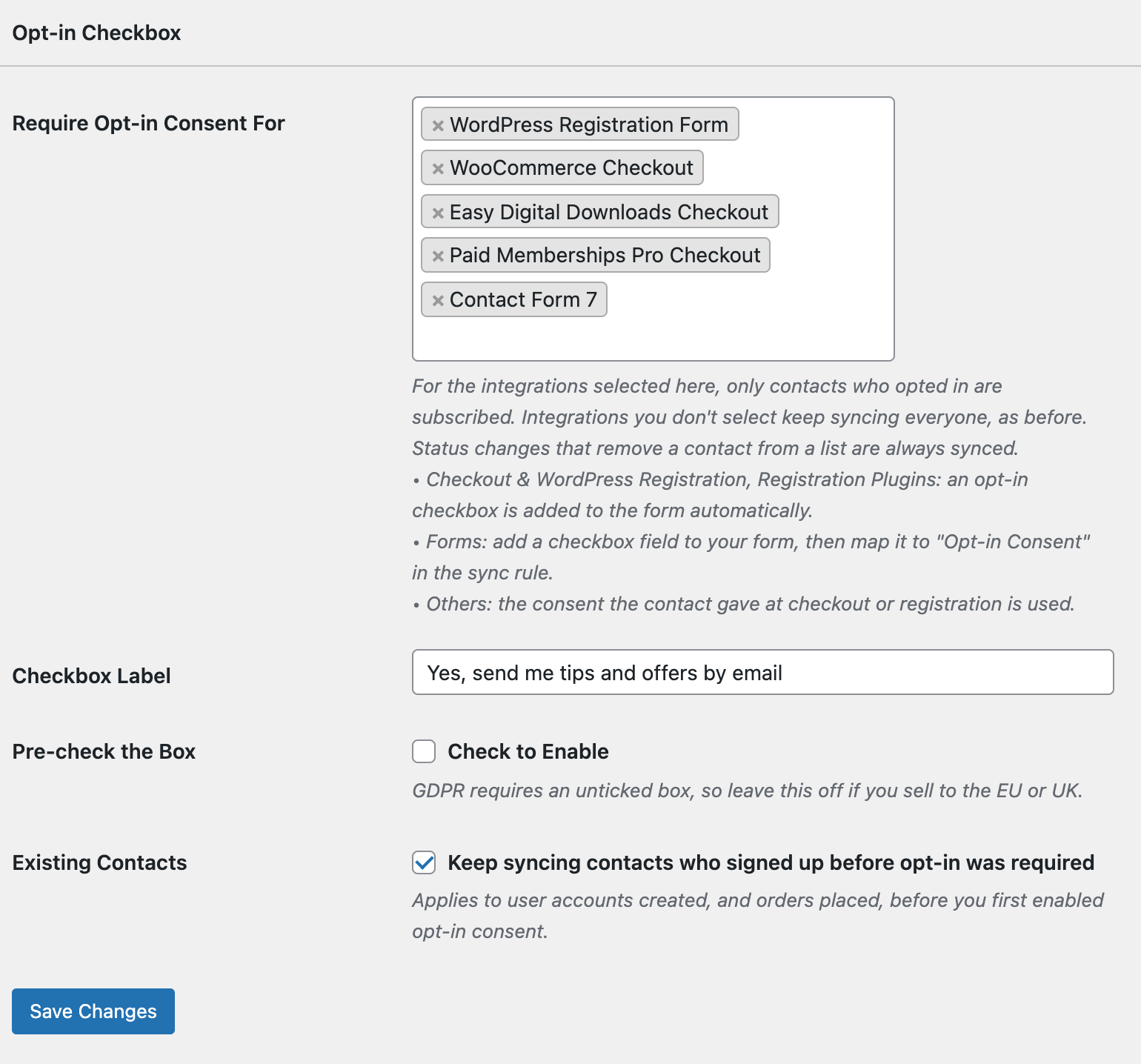
Turning on the opt-in checkbox shouldn’t cut off customers who were already on your list. With Existing Contacts >> Keep syncing contacts who signed up before opt-in was required on (the default):
- WordPress users whose account was created before you first turned on opt-in keep syncing;
- WooCommerce orders placed before then keep syncing, including guest orders. This covers renewals and bulk syncs of old orders.
FuseWP remembers when opt-in was first turned on. If you turn it off and on again later, that date doesn’t move. People who joined while it was off are treated as new and need to opt in.
Untick Existing Contacts to require consent from everyone, old and new.
Consent Records
Every time someone opts in, FuseWP stores a consent record with:
- Email address, for example [email protected]
- User account, if the person has one
- Where they opted in, for example WooCommerce checkout, WordPress registration or a WPForms form
- IP address of the visitor. This is not stored for form entries, which are processed in the background.
- Date and time they first opted in
FuseWP keeps the first time someone opted in; ticking the box again later doesn’t overwrite it. If a customer uses a billing email that differs from their account email, or changes their email later, FuseWP still recognises them through their user account.
GDPR: Export and Erase
Consent records are included in WordPress’s built-in privacy tools:
- Tools >> Export Personal Data includes the person’s FuseWP opt-in consent records.
- Tools >> Erase Personal Data deletes them, along with the consent flag on that person’s WooCommerce, EDD, GiveWP and WP Travel Engine orders. After erasure the person is treated as not opted in.
Confirming People Own Their Email Address
An opt-in checkbox records that someone ticked the box with a given email address. It doesn’t prove that the address belongs to them. If you need that proof, turn on double opt-in in your email marketing software or CRM. It emails each new subscriber a link to confirm before they’re added.
Frequently Asked Questions
Will turning this on remove anyone from my email list?
No. It only controls who gets added. Contacts already in your email software stay there.
What happens to customers who don’t tick the box?
Their order, registration or enrollment goes through as normal. FuseWP just doesn’t add them to your list.
Do cancellations and refunds still sync?
Yes. Actions that take a contact off a list, or move them when their status changes, always sync, with or without consent.
Does it work with bulk sync?
Yes. A bulk sync only adds contacts who opted in, or who joined before opt-in was required (if Existing Contacts is on).
Will logged-in customers be asked again and again?
No. On the WordPress registration form, classic WooCommerce checkout, EDD and membership checkouts, the box is hidden for logged-in users who already opted in. The WooCommerce block checkout always shows it, but ticking it again changes nothing.
Can I require consent for WooCommerce but not for my LMS?
Yes. Only the integrations you select in Require Opt-in Consent For are affected.
Can I translate or reword the checkbox?
Yes. Change the Checkbox Label setting.
Where are consent records kept?
In your WordPress database, in the wp_fusewp_optin_consents table (your table prefix may differ). FuseWP doesn’t send them to its own servers.