
Do you want to find the best WordPress form plugin for your site?
With hundreds of form plugins available in the WordPress repository, picking the right one can feel like searching for a needle in a haystack, except every needle claims to be the sharpest.
The good news is that a handful of WordPress form plugins actually deliver on their promises, and this guide saves you the time of testing them yourself.
In this article, we’ll cover why WordPress contact form plugins matter, the features to look for, the best WordPress form plugins in 2026, why FuseWP is a useful addon, and answer common questions about WordPress form plugins.
Why WordPress Form Plugins Matter
WordPress form plugins play a real role in how your website connects with people and how your business collects information. Without them, your site is basically silent, with no easy way for visitors to reach you or take action.
Here’s why they matter so much:
1. Easy Communication: Forms give visitors a way to talk to you without needing emails or phone calls. Whether someone wants support, has a question, or wants to book a service, a form makes it quick and direct. Instead of losing potential customers, you give them a clear path to reach you in seconds.
2. Collect Leads: If you run a business website, leads are everything. Form plugins let you capture visitor details like names, emails, and messages. This turns casual visitors into potential customers you can follow up with later. Without a form, many of those opportunities disappear.
3. Different Form Types: Forms are not limited to “Contact Us” pages anymore. You can use them for job applications, user registration, event registrations, surveys, bookings, quote requests, and even online payments.
4. Grow Your Audience: Many websites use forms to build email lists or newsletter subscribers. This is an effective way to grow an audience over time and stay connected with visitors even after they leave your site.
Features to Look Out For in a Contact Form Plugin
When choosing a WordPress form plugin, focus on these capabilities:
1. Drag and drop form builder: A good form plugin should make form creation feel easy. A drag-and-drop builder lets you add fields like name, email, phone, checkboxes, and dropdowns without touching code. This saves time and makes it possible for anyone, even beginners, to build professional forms quickly.
2. Conditional logic: Conditional logic allows your form to change based on user responses. For example, if someone selects “Yes” to a question, new fields can appear automatically. This keeps forms clean, relevant, and less overwhelming for users, which often leads to more completed submissions.
3. Multi-step forms: Long forms can scare users away. Multi-step forms break a large form into smaller sections. Instead of seeing everything at once, users move step by step. This approach improves completion rates and makes the experience feel easier and more natural.
4. Email and CRM integration: A form should not just collect data; it should send it where it is needed. Integration with email marketing and CRM platforms helps you automatically send leads into your sales or marketing workflow. This reduces manual work and keeps your data organized.
5. Payment support: If you plan to sell services, accept donations, or collect booking fees, payment support is essential. Many modern form plugins integrate with gateways such as PayPal or Stripe, allowing users to pay directly through the form.
6. Spam protection: Spam submissions can quickly become a problem. Good form plugins include features such as CAPTCHA, honeypot protection, and anti-spam filters. These keep your inbox clean and ensure you only receive real submissions.
8. File upload option: Sometimes users need to send documents, images, or other files. A file upload feature makes this possible and is especially useful for job applications, support requests, or service-based websites.
9. Notifications: After someone submits a form, they should get a confirmation message or email. At the same time, you should receive instant notifications so you never miss an important lead or inquiry.
10. Analytics and entry management: A good form plugin should store submissions inside your WordPress dashboard. This allows you to track responses, export data, and understand how users are interacting with your forms over time.
With that being said, let’s go over the 10 best WordPress form plugins.
1. WPForms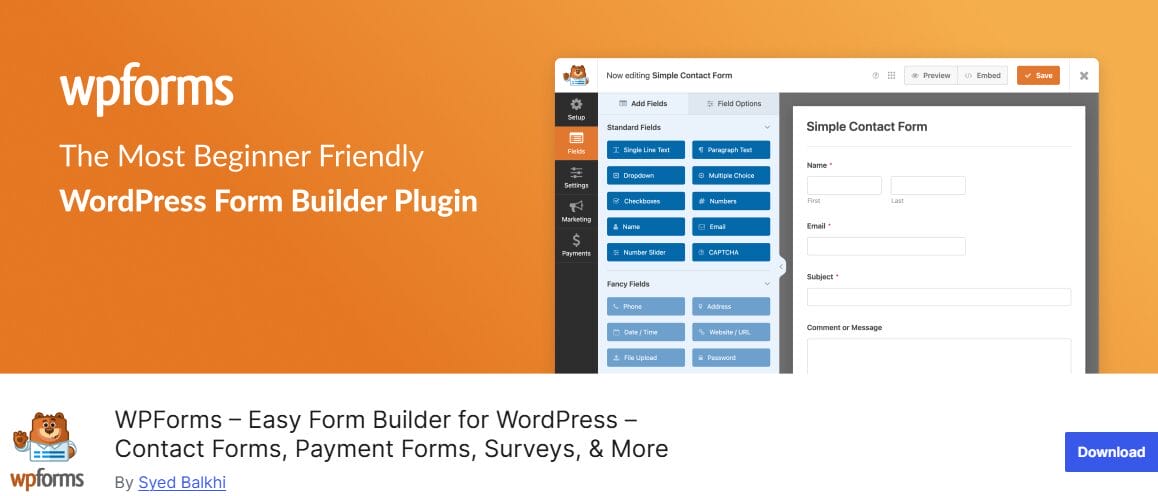
WPForms remains one of the best WordPress form plugins. It has consistently remained a favorite among beginners, small business owners, bloggers, and even agencies because it makes form creation incredibly simple.
The plugin uses a drag-and-drop builder that lets you create everything from basic contact forms to payment, survey, registration, booking, and lead-generation forms without writing a single line of code. With pre-built templates, you can launch a professional form in just a few minutes instead of starting from scratch.
The free version is suitable for simple contact forms. Still, the premium version unlocks advanced features such as conditional logic, conversational forms, multi-page forms, file uploads, calculators, surveys, polls, and payment processing through Stripe, PayPal, Square, and Authorize.Net.
WPForms also integrates with popular email marketing platforms and CRMs.
My Experience
During testing, WPForms delivered a fast, excellent form-building experience. Setup was easy, and creating forms was intuitive from the start. The clean, organized drag-and-drop interface makes adding, rearranging, and customizing forms simple and clutter-free.
I was impressed by the template library, which let me start with ready-made templates and customize them easily. Features like conditional logic, payment integrations, and conversational forms were simple to set up, even without technical skills. The plugin performed well, with quick-loading forms that displayed correctly on desktop and mobile.
Features of WPForms
- Easy-to-use drag-and-drop form builder
- Several professionally designed form templates
- Supports payment collection through Stripe, PayPal, Square, and Authorize.Net
- Excellent email marketing and CRM integrations
- Conversational forms and form landing pages for higher conversions
- Advanced features such as conditional logic, file uploads, calculators, and surveys
- Mobile-responsive and optimized for performance
- Suitable for beginners while still offering advanced functionality
- Large ecosystem of integrations and add-ons
How Much Does WPForms Cost?
WPForms offers a free version, WPForms Lite, which is ideal for creating basic contact and lead-capture forms. Premium plans start at $49.50 per year for the Basic plan.
2. Fluent Forms

Fluent Forms is another WordPress form plugin that combines an excellent drag-and-drop builder with an impressive range of features for both beginners and experienced users. Whether you need a simple contact form, a lead generation form, a payment form, a survey, a quiz, or even a calculator, Fluent Forms gives you the flexibility to build it without writing any code.
A major advantage of Fluent Forms is its extensive free version, offering features like conditional logic, conversational forms, AI creation, analytics, multi-column layouts, spam protection, and Stripe support, unlike competitors that hide these behind paywalls.
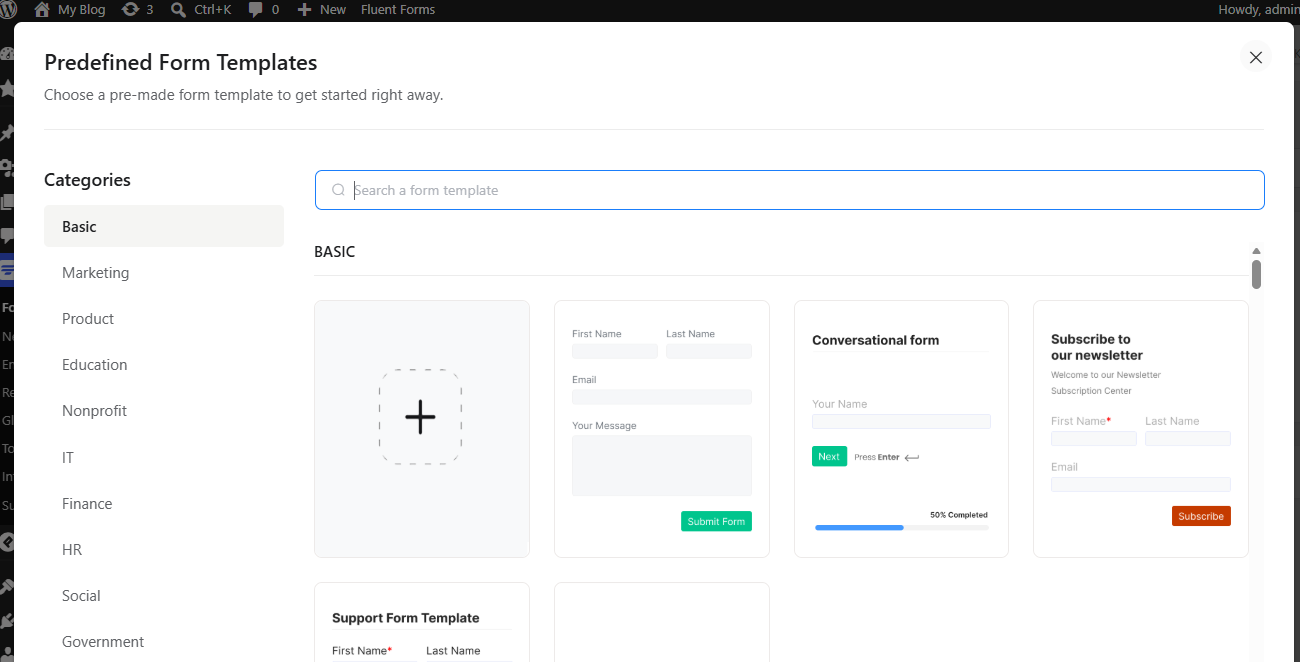
The plugin also includes dozens of ready-made templates.
Performance is another major advantage. Fluent Forms is designed to be lightweight and optimized for speed, which is important for websites that care about user experience and search engine rankings. Beyond performance, the plugin supports numerous integrations, including email marketing services, CRM platforms, payment gateways, automation tools, and productivity apps.
Features such as calculations, quizzes, surveys, PDF generation, user registration, conversational forms, and advanced reporting make it suitable for businesses, agencies, membership sites, nonprofits, and online stores.
My Experience
Using Fluent Forms feels fast and practical. The builder is easy to understand, and I liked that I could quickly create a form without having to navigate too many settings. The templates also save time because you do not always need to start from a blank form.
I also liked the way Fluent Forms handles advanced form needs without making the dashboard feel confusing. Conditional logic, payment fields, email notifications, and multi-column layouts are easy to find. This is helpful when building longer forms because you can keep them neat and easier for visitors to complete.
Performance is another area where Fluent Forms performs well. The plugin is designed to load lightweight assets for standard forms, which is good for site speed.
Features of Fluent Forms
- Generous free version with advanced features
- Easy-to-use drag-and-drop builder
- Built-in AI Form Builder for faster form creation
- Conversational forms and multi-step forms
- Lightweight and optimized for performance
- Conditional logic is included in the free version
- Built-in analytics and visual reporting
- Strong payment support, including Stripe, PayPal, Square, Paystack, Razorpay, and more
- PDF generation from form submissions
- Large collection of integrations with CRMs, marketing platforms, and automation services
- One-click migration from WPForms, Contact Form 7, Gravity Forms, Ninja Forms, etc
How Much Does Fluent Forms Cost?
Fluent Forms offers a powerful free version that includes many features. This makes it a great option for users who need advanced functionality without an upfront investment. The premium version starts at $63 per year for a single-site license.
3. Gravity Forms
Gravity Forms is a premium WordPress form plugin built for website owners who want more control over how their forms look, behave, and collect information. It comes with a visual drag-and-drop builder, so you can create contact forms, signup forms, surveys, payment forms, donation forms, quote request forms, and even multi-page forms without writing code.
Gravity Forms can handle advanced form logic. You can use conditional logic to show or hide fields based on a visitor’s answers, add calculations, allow file uploads, limit form submissions, schedule when a form should appear, and create WordPress posts from form entries. It also supports payment collection, email marketing integrations, CRM integrations, and automation via add-ons, making it useful for business websites, agencies, membership sites, and online stores.
However, Gravity Forms may not be the best fit for users who only need a free contact form plugin. It does not offer a free version, and many advanced features are tied to specific add-ons and license tiers. This means you may need to upgrade to a higher plan to access features such as Stripe payments, user registration, surveys, signatures, conversational forms, or Zapier integration.
My Experience
My experience with Gravity Forms was positive, especially when working on forms that needed more than basic name, email, and message fields. The editor felt organized, and I liked how easy it was to build multi-step forms, add conditional rules, and control what happens after a visitor submits a form.
Where Gravity Forms really proved useful was in creating forms with business logic. For example, you can build forms that calculate prices, qualify leads, accept uploads, collect payments, or send entries to connected marketing and business platforms. This makes it a good fit for websites that need forms to do actual work, not just collect messages.
The main issue I noticed is that certain features may require additional add-ons. This is not a problem for users who already know what they need, but it can take extra time for new users to understand which plan includes which add-on. For a small website that only needs a contact form, it may feel like overkill. For business websites, agencies, and growing WordPress projects, the extra control can be worth it.
Features of Gravity Forms
- Powerful drag-and-drop form builder
- Excellent support for advanced and complex forms
- Conditional logic
- Multi-page forms and conversational forms
- Built-in calculations and dynamic form functionality
- Supports file uploads and user-generated content submissions
- Extensive integrations with CRMs, email marketing platforms, and payment gateways
- Detailed entry management directly inside WordPress
- Ability to create WordPress posts from form submissions
- Large ecosystem of official and third-party add-ons
- Reliable and widely trusted by agencies and developers
How Much Does Gravity Forms Cost?
Gravity Forms is a paid WordPress form plugin and does not have a free version. Its Basic license starts at $59 per year and supports one website. This plan is suitable for users who need core form-building features and basic integrations.
The Pro license costs $159 per year and supports three websites. This plan is better for users who need more advanced add-ons, including payment and automation features.
The Elite license costs $259 per year and supports unlimited websites. This plan is best for agencies, developers, and businesses that need access to all Gravity Forms add-ons, including user registration, surveys, polls, signatures, conversational forms, and other advanced features.
4. Formidable Forms 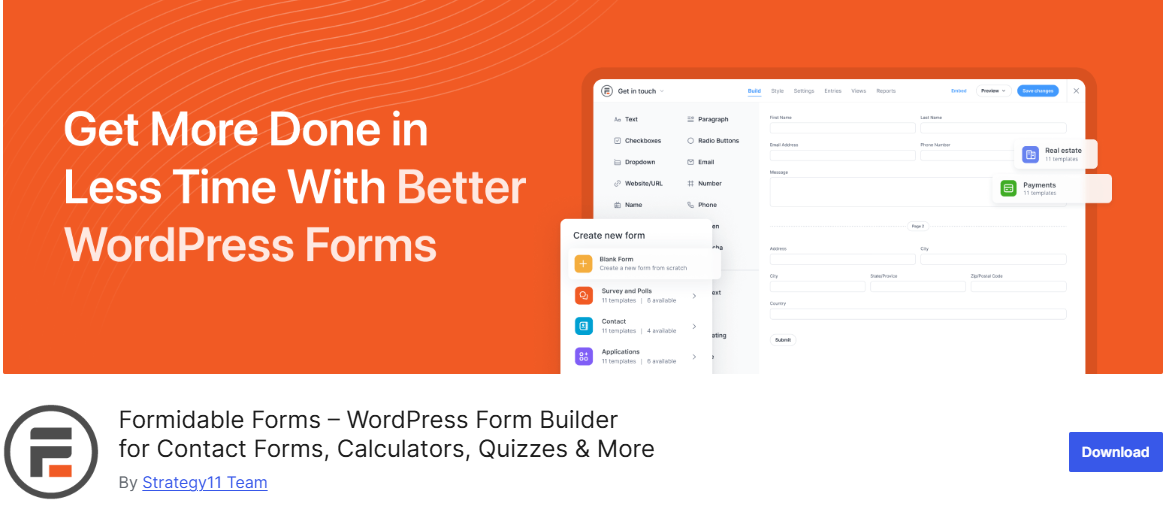
Formidable Forms is a powerful WordPress form plugin for users who want to build more than basic contact forms. It gives you a drag-and-drop builder, ready-made templates, mobile-responsive forms, entry management, file uploads, conditional logic, payment fields, survey forms, quiz forms, calculator forms, and front-end data display options.
With Formidable Views, you can display submitted form data on the front end of your website and create directories, listings, calendars, job boards, member profiles, and other data-driven layouts.
It also supports calculators, quizzes, surveys, user registration, payment collection, conversational forms, landing page forms, signatures, PDF generation, and AI-assisted form creation, depending on the plan you choose.
My Experience
Using Formidable Forms felt different from working with a regular contact form plugin. The builder was easy to follow, and I could add fields, arrange them, and adjust the form settings without feeling lost.
What I enjoyed most was how flexible the plugin felt once I moved beyond a normal contact form. Creating multi-page forms, adding conditional logic, and setting up calculation fields felt practical, especially for websites that need quote, registration, survey, or payment forms.
The calculator feature was especially useful because it allowed the form to provide visitors with instant results rather than only collecting their details.
I also liked that form entries are stored inside WordPress. This makes it easier to check submissions, export responses, and manage leads without depending on another platform. The Formidable Views feature also made a good impression because it allows you to turn submitted data into front-end tables, directories, listings, and other useful layouts.
That said, Formidable Forms may take a little time to understand if you are new to advanced form builders. Some of the best features are tied to paid plans, so you need to check the pricing carefully before choosing a package. But once you understand how it works, it feels like a very capable option for anyone who wants WordPress forms that do more than collect basic messages.
Features of Formidable Forms
- Drag-and-drop form builder
- More than 300 pre-built form templates
- AI-powered form builder
- Advanced calculator forms and quote generators
- Formidable Views for displaying form data on the front end
- Multi-page forms with progress indicators
- Conditional logic and dynamic fields
- Conversational forms
- Survey, poll, and Quiz builder with scoring and grading
- File upload fields
- User registration and profile forms
- Front-end editing of form submissions
- Payment integrations with Stripe, PayPal, Square, and Authorize.Net
- WooCommerce product configurator support
- PDF generation for invoices, certificates, and reports
- Directory, job board, and listing creation capabilities
- Extensive CRM, email marketing, and automation integrations
How Much Does Formidable Forms Cost?
Formidable Forms offers a free version that includes the core form-building functionality and allows users to create unlimited forms. Premium plans start at $39.50 per year.
5. Ninja Forms
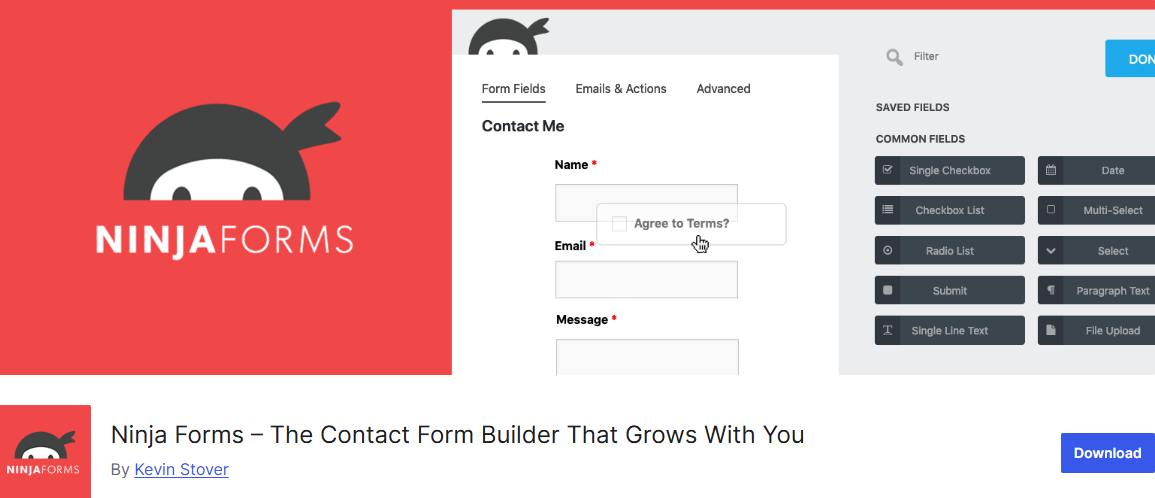
Ninja Forms has been a trusted name in the WordPress ecosystem for years, and it remains a solid choice for users who want a flexible WordPress contact form builder. The plugin is built around a drag-and-drop interface that makes creating forms accessible to beginners while still providing enough customization options for more experienced users.
The free version includes many essential features such as unlimited forms and submissions, email notifications, spam protection, calculations, form templates, submission management, and GDPR-friendly controls.
As your needs grow, you can extend the plugin through a large collection of add-ons covering everything from conditional logic and file uploads to payment processing, CRM integrations, email marketing connections, and workflow automation.
Another area where Ninja Forms performs well is data management and privacy. All submissions are stored directly on your WordPress website, giving you complete ownership and control over your data.
My Experience
Ninja Forms is easy to use. The drag-and-drop builder is organized, making it simple to create forms and customize fields. Building a standard contact form took only a few minutes, and features such as email notifications, success messages, and spam protection were easy to configure.
What stood out most was the plugin’s flexibility. Ninja Forms lets users start free and expand via add-ons instead of costly plans. Its submission management offers a clear overview with easy search, filtering, editing, and exporting options. Some advanced features need separate purchases, but it provides enough functionality for many website owners.
Features of Ninja Forms
- Drag-and-drop form builder
- Unlimited forms and submissions
- Built-in calculations and calculation forms
- Email notifications and autoresponders
- Custom success messages and redirects
- Spam protection with Google reCAPTCHA and Akismet
- GDPR-friendly submission controls
- Form templates for faster setup
- Submission management and entry editing
- CSV export functionality
- Mobile-responsive forms
- Shareable standalone forms
- Conditional logic
- Multi-step forms
- File uploads
- PDF form submissions
- Payment integrations with Stripe, PayPal, Authorize.Net, and other gateways
- CRM, email marketing, and automation integrations through addons
- User registration and front-end posting capabilities
How Much Does Ninja Forms Cost?
Ninja Forms offers a free core plugin that includes many features needed for creating professional forms. Premium plans start at $59.40 per year.
6. Forminator

Forminator is one of the best WordPress form plugins, going far beyond creating basic contact forms. Developed by WPMU DEV, it offers an impressive collection of features that enable users to build forms, quizzes, polls, calculators, surveys, payment forms, registration forms, and lead-generation forms from a single plugin.
What makes Forminator attractive is that many features that are often locked behind premium plans in competing plugins are available in the free version.
The plugin uses a drag-and-drop builder that makes form creation accessible to users of all skill levels. Whether you’re collecting customer inquiries, generating leads, processing donations, selling products, gathering feedback, or running interactive quizzes, Forminator provides the tools to do it efficiently.
Forminator’s built-in support for Stripe and PayPal is noteworthy, as many plugins need a premium license for payments. It also supports calculations, enabling creation of tools like quote generators and calculators to boost engagement and conversions.
My Experience
Setting up Forminator for the first time takes a little longer than some of the more beginner-focused plugins on this list, but not in a frustrating way. The drag-and-drop builder is well-organized, and the preset templates help cut down setup time considerably.
Where things got interesting was with the Calculations feature. Building a simple service estimator that updated pricing in real time based on user selections took under 20 minutes.
The poll and quiz builders also worked exactly as advertised, with live results displaying cleanly in pie charts without any additional configuration. Overall, Forminator delivers excellent value.
Features of Forminator
- Drag-and-drop form builder with support for all standard field types
- Interactive polls with real-time results displayed in pie charts and graphs
- Knowledge and personality quizzes with built-in lead capture to collect names and emails
- Calculation forms for service estimators, ROI calculators, loan calculators, BMI, and product pricing
- Payment integrations with Stripe and PayPal are included in the free version
- Multi-step and multi-file upload forms with drag-and-drop file handling
- Conditional logic to show or hide fields based on previous answers
- Antispam protection via Google reCAPTCHA, hCaptcha, and Cloudflare Turnstile
- 1,000+ app integrations via webhooks, Zapier, Make, and native connections to HubSpot, Mailchimp, ActiveCampaign, Slack, Trello, and Google Sheets
- Contact Form 7 migration wizard for importing existing forms
- Custom login and registration forms with multisite support
- Cloud and preset templates for faster form creation across multiple sites
- E-signature field
- Dynamic PDF generation
How Much Does Forminator Cost?
Forminator is free to use and available directly from the WordPress plugin repository. For advanced features like e-signatures, Stripe subscriptions, and dynamic PDF generation, you’ll need Forminator Pro, which starts at $36 per year.
7. Contact Form 7

Contact Form 7 is one of the oldest and most widely used WordPress form plugins, with over 10 million active installations. For years, it has been the go-to choice for website owners who need a lightweight, completely free way to handle contact forms.
Unlike modern drag-and-drop builders, Contact Form 7 takes a more traditional approach, using form tags and shortcodes. While this requires a slightly steeper learning curve, it offers a great deal of control for those who want to customize their forms manually.
One of its biggest advantages is the open-source philosophy. The plugin is free and does not lock features behind paywalls. It supports multiple forms, spam protection, and integrations with services like reCAPTCHA, Akismet, Stripe, Brevo, Constant Contact, and Cloudflare Turnstile.
My Experience
Contact Form 7 is different from the other plugins on this list. There is no visual form builder or drag-and-drop interface, which means creating forms requires a bit more hands-on work. While beginners may find this approach difficult, experienced WordPress users will likely appreciate the control and flexibility it provides.
What stood out most was how lightweight the plugin felt. It doesn’t try to do everything out of the box, which helps keep it fast and efficient.
Features of Contact Form 7
- Completely free and open-source
- Create unlimited contact forms
- Customizable form fields and layouts
- Shortcode support for easy embedding
- Spam protection through Google reCAPTCHA
- Akismet integration for spam filtering
- Cloudflare Turnstile support
- Stripe integration
- Brevo integration
- Constant Contact integration
- Lightweight and performance-friendly
- Highly customizable through code and extensions
- Large ecosystem of third-party add-ons
- Multilingual support
- Active community and extensive documentation
- Privacy-focused design with minimal data collection
How Much Does Contact Form 7 Cost?
Contact Form 7 is completely free.
8. WS Form

WS Form is a modern WordPress form plugin built for users who want deep control over form design, performance, and flexibility. It offers a drag-and-drop builder that supports everything from simple contact forms to advanced multi-step forms with conditional logic, calculations, and integrations.
What sets WS Form apart is its focus on clean output and performance, ensuring that forms load quickly without slowing down the rest of your site. It also works well with popular page builders like Elementor, Divi, Gutenberg, and others, making it easy to drop forms into almost any layout.
WS Form has a built-in form styler that lets you design forms visually without touching code, giving you direct control over spacing, colors, typography, and layout in WordPress. This makes it especially useful for designers and agencies who want forms that match a brand without relying on custom CSS.
On top of that, WS Form includes robust spam protection options, including Google reCAPTCHA, hCaptcha, Cloudflare Turnstile, honeypot protection, and IP filtering. These features help keep submissions clean while maintaining an excellent user experience.
My Experience
Using WS Form feels like working with a form builder made for people who care about details. The drag-and-drop editor is practical, and the templates help you start faster without building every field from scratch.
I like that the free version does not feel too restricted. You can create unlimited forms, collect unlimited submissions, style your forms, export entries, and protect forms from spam without upgrading immediately.
The styling area is another part that makes WS Form enjoyable. Instead of relying only on theme styling or extra CSS, you can adjust the look of your form inside WordPress. This is useful when you want your forms to match your brand, landing page, or client website. The plugin also gives enough control for developers, but regular WordPress users can still use templates and shortcodes without touching code.
My only concern is that WS Form may take a little time to grasp because it offers many options. Compared with very basic form plugins, there is more to explore. However, once you get used to the layout, it becomes a dependable option for contact forms, multi-tab forms, lead forms, surveys, quote forms, and more advanced WordPress form projects.
Features of WS Form
- Drag-and-drop form builder
- Unlimited forms and submissions
- Visual form styler with design controls
- Multi-step and tabbed forms
- Conditional logic
- Calculated fields
- Conversational forms
- File uploads and multi-file support
- Strong spam protection (reCAPTCHA, hCaptcha, Turnstile, honeypot)
- Email notifications and routing
- GDPR-ready submission handling
- Integration with Stripe, PayPal, and Authorize.net
- CRM integrations (HubSpot, Salesforce, Zoho, and more)
- Email marketing integrations (Mailchimp, ActiveCampaign, ConvertKit, etc.)
- Webhooks and automation support
- WooCommerce compatibility
- Google Sheets and Airtable integration
- Data export and submission management
- Accessibility-focused form output
- Page builder support (Elementor, Divi, Gutenberg, etc.)
- Developer-friendly hooks and debugging console
How Much Does WS Form Cost?
WS Form offers a free Lite version that includes unlimited forms, submissions, templates, styling controls, and spam protection features.
The Pro version unlocks advanced functionality, including conditional logic, calculations, conversational forms, integrations, payment features, and automation support. Pricing starts at $59 per year for a single-site license, with higher-tier plans available for multiple sites and agencies.
9. Everest Forms
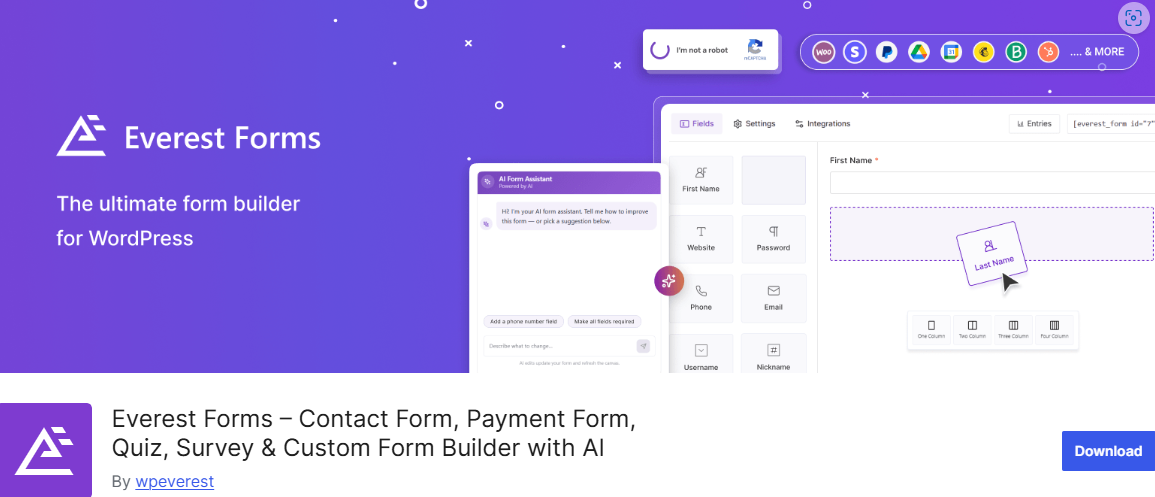
Everest Forms is an effective WordPress form plugin that lets users build contact, payment, quiz, survey, registration, and conversational forms using either a drag-and-drop builder or an AI form generator.
With support for over 40 form fields and unlimited submissions, it provides enough flexibility to handle everything from basic inquiries to more advanced business workflows.
With the Everest Forms AI form builder, users can describe what they need in plain language and let the plugin generate a structured form instantly. This reduces setup time significantly and makes form creation more accessible.
When combined with integrations with CRMs, email marketing platforms, automation systems, and page builders like Elementor and Divi, Everest Forms is definitely one of the best WordPress form plugins.
My Experience
Getting started with Everest Forms feels approachable from the first click. The drag-and-drop builder is clean and responsive, and the style customizer makes it easy to match forms to your site’s branding without touching a line of CSS.
Testing the AI Form Builder was the highlight: typing a brief description of a multi-step inquiry form and watching it automatically assemble the fields, conditional logic, and layout was genuinely impressive. It wasn’t perfect out of the box, but the follow-up prompt option made refining the result quick.
Entry management is also well thought out, with a dashboard that lets you search, filter, edit, and export submissions without ever leaving WordPress.
Features of Everest Forms
- AI-powered form builder
- Drag-and-drop form editor
- 40+ form fields
- Unlimited forms and submissions
- Contact, survey, quiz, and payment forms
- Conversational and multi-step forms
- Stripe, PayPal, Razorpay, Square, and Mollie payments
- Conditional logic and smart workflows
- File and image uploads
- Admin approval for submissions
- PDF generation from submissions
- Entry management dashboard
- CSV export and reporting
- Spam protection (reCAPTCHA, hCaptcha, Turnstile, Akismet, CleanTalk)
- Email notifications and multiple recipients
- CRM integrations (HubSpot, Salesforce, Zoho, Pipedrive, etc.)
- Email marketing integrations (Mailchimp, ActiveCampaign, Kit, etc.)
- Webhooks and automation support
- Page builder compatibility (Elementor, Divi, Bricks, Oxygen, and more)
- Popup forms and landing page forms
- Geolocation and QR code support
- E-signature field support
- User registration and login forms
How Much Does Everest Forms Cost?
Everest Forms offers a free version that includes essential features such as drag-and-drop building, file uploads, entry management, basic form fields, and spam protection.
The Pro version unlocks advanced capabilities, including payment integrations, AI-driven form generation enhancements, conditional logic, multi-step and conversational forms, CRM integrations, and automation features. Pricing starts at $49 per year.
10. SureForms

SureForms is a modern WordPress form plugin that takes a different approach to form building; rather than pulling you into a separate form-building interface, it works directly inside the Gutenberg editor. If you already spend time in the WordPress block editor, the learning curve is almost nonexistent. Everything feels like a natural extension of what you’re already doing.
The plugin covers the full range of form types, including contact forms, payment forms, surveys, quizzes, multi-step forms, conversational forms, registration forms, and more. Its AI form builder is where things get interesting.
Instead of building field by field, you describe the form you have in mind. e.g., a job application, an event RSVP, a quote request, or a donation form, and SureForms generates the fields and layout for you.
One feature worth calling out specifically is Instant Forms. Rather than embedding a form on an existing page, Instant Forms gives you a shareable link you can send directly to users. It’s a small but practical addition that saves time when you need a form live quickly without building a dedicated page around it.
My Experience
SureForms differs from many form plugins with its block editor approach, making form-building feel natural, especially for Gutenberg users. It eliminates the need to switch between a separate builder and the content area, making the process more integrated.
The AI form builder helps create forms quickly without manually configuring each field, useful for contact, feedback, booking, or event registration forms. Users can then customize fields, layout, payment options, validation, and manage entries from the dashboard.
The plugin also offers sleek, mobile-friendly forms with multi-column layouts to prevent long forms from feeling overwhelming. However, users who dislike Gutenberg might not enjoy SureForms as much as experienced block users.
Features of SureForms
- Gutenberg-based form builder
- Contact forms, payment forms, surveys, quizzes, and calculators
- Conversational forms
- Multi-step forms
- Conditional logic
- Stripe and PayPal integration
- Multi-column form designs
- Real-time form validation
- Form entry management
- Email notifications and autoresponders
- Visual reporting and analytics
- Spam protection with reCAPTCHA, hCaptcha, Turnstile, and Honeypot
- Dynamic field options
- Save and resume functionality
- PDF generation
- Custom login and registration forms
- Webhooks and Zapier integration
- Google Sheets integration
- CRM integrations, including HubSpot, Zoho CRM, etc
- Email marketing integrations, including Mailchimp, Brevo, ActiveCampaign, and MailerLite
- Developer-friendly APIs and hooks
- Multilingual support
How Much Does SureForms Cost?
SureForms offers a free version that includes the Gutenberg-based form builder, AI-assisted form creation, Stripe payments, conditional logic, spam protection, entry management, and several essential form-building features.
For users who need advanced capabilities such as conversational forms, multi-step forms, quizzes, surveys, calculators, PayPal payments, PDF generation, advanced integrations, partial entries, and save-and-resume functionality, SureForms Business is available. Pricing starts at $59 per year.
A Useful Addon to Consider: FuseWP
After choosing a WordPress form plugin, the next thing to think about is what happens after someone submits a form. A contact form, registration form, quiz form, payment form, or lead form is only useful when the data reaches the right place.
This is where FuseWP becomes helpful. While it is not a form builder like WPForms, Fluent Forms, Gravity Forms, WS Form, or SureForms, it works well beside them by connecting WordPress to your email marketing platform, CRM, or automation system.

With FuseWP, you can automatically connect your website, form plugins, membership plugins, eCommerce platforms, and learning management systems to popular email marketing services and CRM platforms. Instead of manually exporting contacts or relying on third-party automation services, FuseWP handles the synchronization for you.
One feature I particularly like about FuseWP is its broad compatibility with WordPress form plugins. It works with all of the plugins covered in this guide, including WPForms, Fluent Forms, Gravity Forms, Ninja Forms, Formidable Forms, Forminator, Everest Forms, WS Form, SureForms, and Contact Form 7. When someone submits a form, registers an account, updates their profile, or makes a purchase, FuseWP can automatically send that information to your email marketing platform or CRM.
Beyond forms, FuseWP also supports WooCommerce, MemberPress, LearnDash, Tutor LMS, ProfilePress, Paid Memberships Pro, GiveWP, Easy Digital Downloads, LifterLMS, FluentCommunity, and many other popular WordPress plugins. This makes it particularly useful for membership websites, online course platforms, online stores, and businesses that want to automate customer communication based on user activity.
FuseWP integrates with a wide range of email marketing and CRM platforms, including Mailchimp, ActiveCampaign, Salesforce, Constant Contact, Campaign Monitor, AWeber, Zoho CRM, Zoho Campaigns, Kit (ConvertKit), Drip, Brevo (Sendinblue), HubSpot, MailerLite, Sendy, Klaviyo, Google Sheets, Keap (Infusionsoft), EmailOctopus, Flodesk, HighLevel, Omnisend, Ortto, GetResponse, Mailjet, Encharge, beehiiv, Sender.net, BirdSend, Bento, Mailercloud, Engage.so, SendPulse, Copper CRM, FluentCRM, MailPoet, Groundhogg.
If your goal is not only to collect submissions but also to nurture leads, automate marketing campaigns, manage customer relationships, and build email lists, FuseWP is a valuable addition to any WordPress website.
FAQs About WordPress Form Plugins
Below are some common questions people ask when choosing a WordPress form plugin or working with a WordPress form builder plugin for their site.
Q1: What is a WordPress form builder plugin?
A WordPress form builder plugin is a WordPress form plugin that helps you create different types of forms without writing code. It lets you build contact forms, payment forms, surveys, registration forms, and more using a visual interface or drag-and-drop editor.
Q2: What are the best WordPress form plugins?
The best WordPress form plugins usually depend on what you need for your website. Some plugins focus on simplicity, while others focus on advanced features like automation, payments, or integrations.
Popular options in the WordPress ecosystem include Gravity Forms, WPForms, Formidable Forms, Ninja Forms, Forminator, WS Form, Everest Forms, SureForms, Fluent Forms, and Contact Form 7. Each WordPress form builder offers different strengths, such as ease of use, flexibility, or advanced integrations.
Q3. What should I look for in a WordPress form plugin?
A good WordPress form plugin should offer a balance of ease of use and flexibility. At a minimum, it should allow you to easily build forms, manage submissions, and protect against spam.
You should also check if the WordPress form builder supports integrations with tools you already use, such as email marketing platforms, CRMs, or payment gateways. If you plan to scale, features like conditional logic, multi-step forms, and automation can also make a big difference.
Q4. Are free WordPress form plugins good enough?
Free WordPress form plugins can work well for simple use cases, such as contact forms or basic feedback forms. Plugins like Contact Form 7 or free versions of Forminator or Everest Forms can handle basic needs.
However, if you need payments, automation, or advanced form behavior, you will likely need a premium WordPress form builder plugin. Paid versions usually unlock more control over design, integrations, and data handling.
Q5. What is the difference between a WordPress form plugin and a form builder?
A WordPress form plugin is the general software you install on your site to create forms. A WordPress form builder is the interface within the plugin that lets you design forms visually.
In simple terms, the plugin is the full system, while the form builder is the part you use to create and customize forms.
Q6. Which WordPress form builder is best for beginners?
For beginners, the best WordPress form builder is one that is simple, fast to set up, and easy to understand. Plugins like WPForms, Forminator, and Everest Forms are often recommended for their clean interfaces and ready-made templates.
Conclusion
Choosing the right WordPress form plugin can improve how your website collects leads, manages submissions, and connects with your audience. From simple contact forms to payment forms, quizzes, surveys, and automation workflows, each WordPress form builder plugin on this list offers features tailored to your needs and goals.
We hope this article has helped you choose the best WordPress form plugin for your website.
However, after selecting a form plugin, it is also important to think about what happens after users submit your forms. That is where FuseWP becomes useful. It connects your WordPress form plugin to your email marketing platform or CRM, automatically syncing leads, users, customers, members, and students.
If you want to get more value from every form submission, FuseWP is a good addition to your WordPress setup.