
Do you want to connect the User Registration plugin with your email marketing and CRM software?
User Registration by WPEverest is a WordPress plugin that lets you build custom registration forms with a drag-and-drop form builder. It lets you collect extra information from new users, such as their phone number, company, or interests, and gives members a front-end account page where they can edit their profile.
With the FuseWP plugin, you can integrate User Registration with your CRM and email marketing software to automatically subscribe newly registered users to your contact or email list, together with the custom field data they entered when signing up.
FuseWP supports popular CRM email marketing platforms, including Mailchimp, ActiveCampaign, Salesforce, Constant Contact, Campaign Monitor, AWeber, Zoho CRM, Zoho Campaigns, Kit (ConvertKit), Drip, Brevo (Sendinblue), HubSpot, MailerLite, Sendy, Klaviyo, Google Sheets, Keap (Infusionsoft), EmailOctopus, Flodesk, HighLevel, Omnisend, Ortto, GetResponse, Mailjet, Encharge, beehiiv, Sender.net, BirdSend, Bento, Mailercloud, Engage.so, SendPulse, Copper CRM, FluentCRM, MailPoet, Groundhogg.
Integrating User Registration with CRM & Email Marketing Software
Firstly, you need to install and activate the FuseWP plugin. Don’t have it? Purchase a license now.
To automatically subscribe new users who register on your WordPress site via a User Registration form, add a User Roles sync rule and map user profile information and custom field data from User Registration to your email marketing account.
Go to FuseWP >> User Sync and click the Add New button.
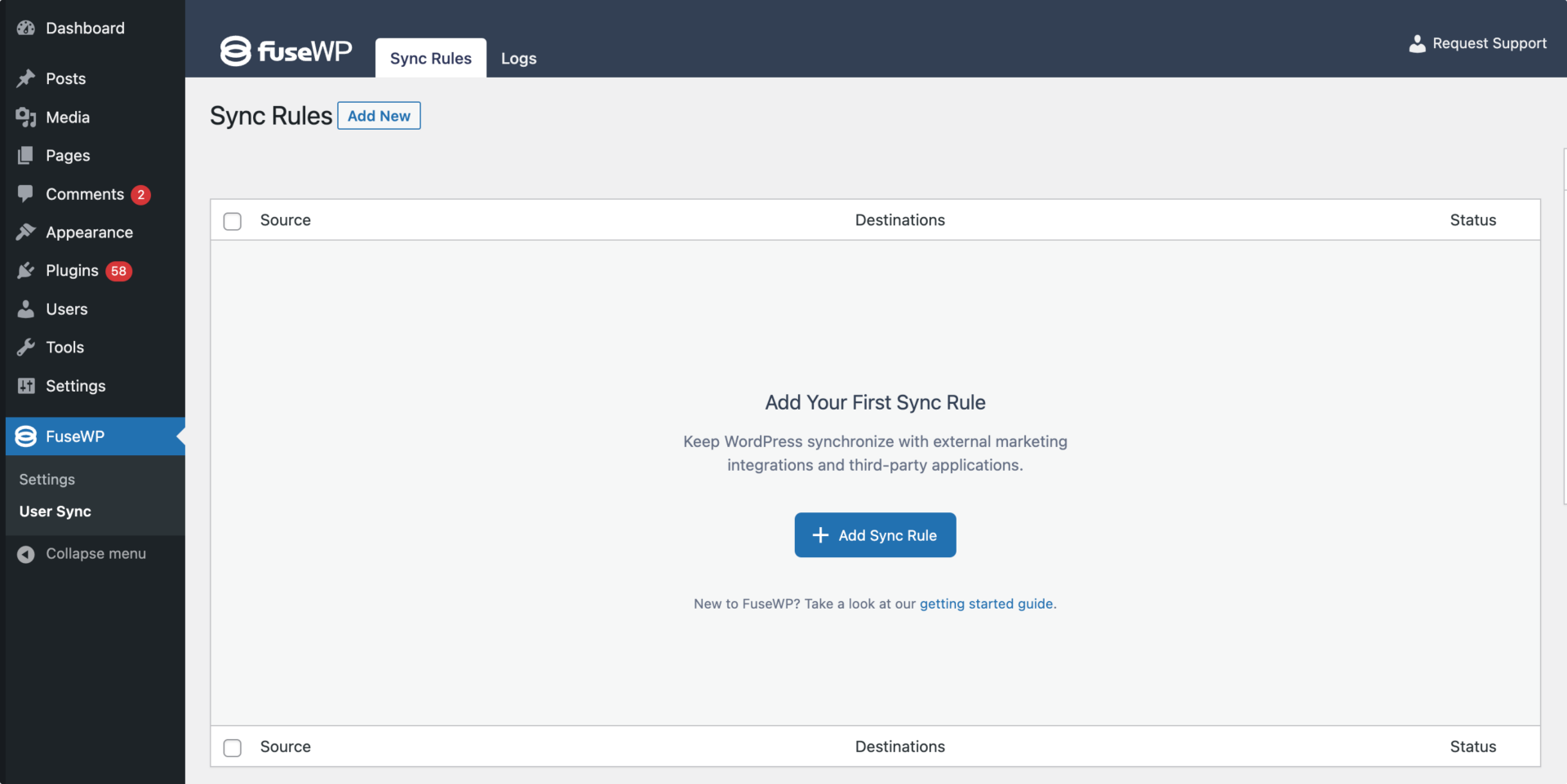
On the page to add user sync rules, select “User Roles” as the source.
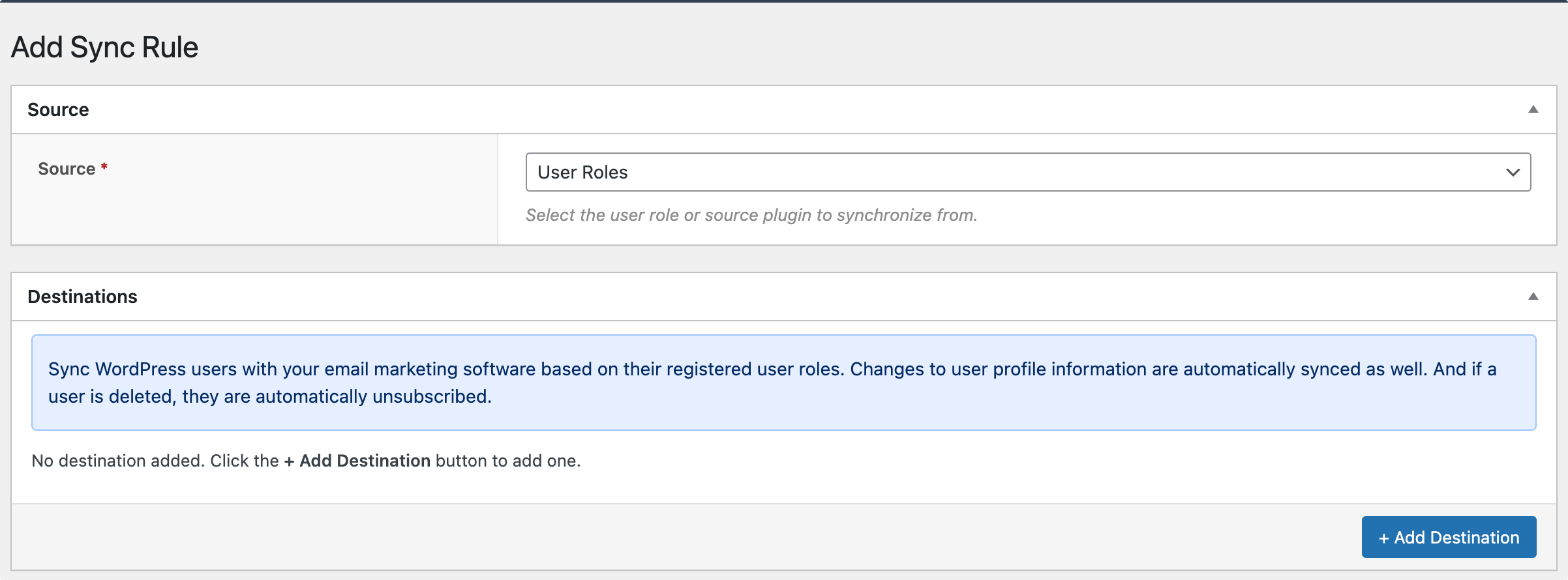
In the Destinations metabox, you can set up email marketing lists or audiences for different user roles. You can also map custom fields to your email marketing and CRM custom fields, along with standard WordPress user data.
For example, since we want to subscribe users to our Mailchimp email list or audience regardless of their assigned user roles, we will select “Any” as the User Role.
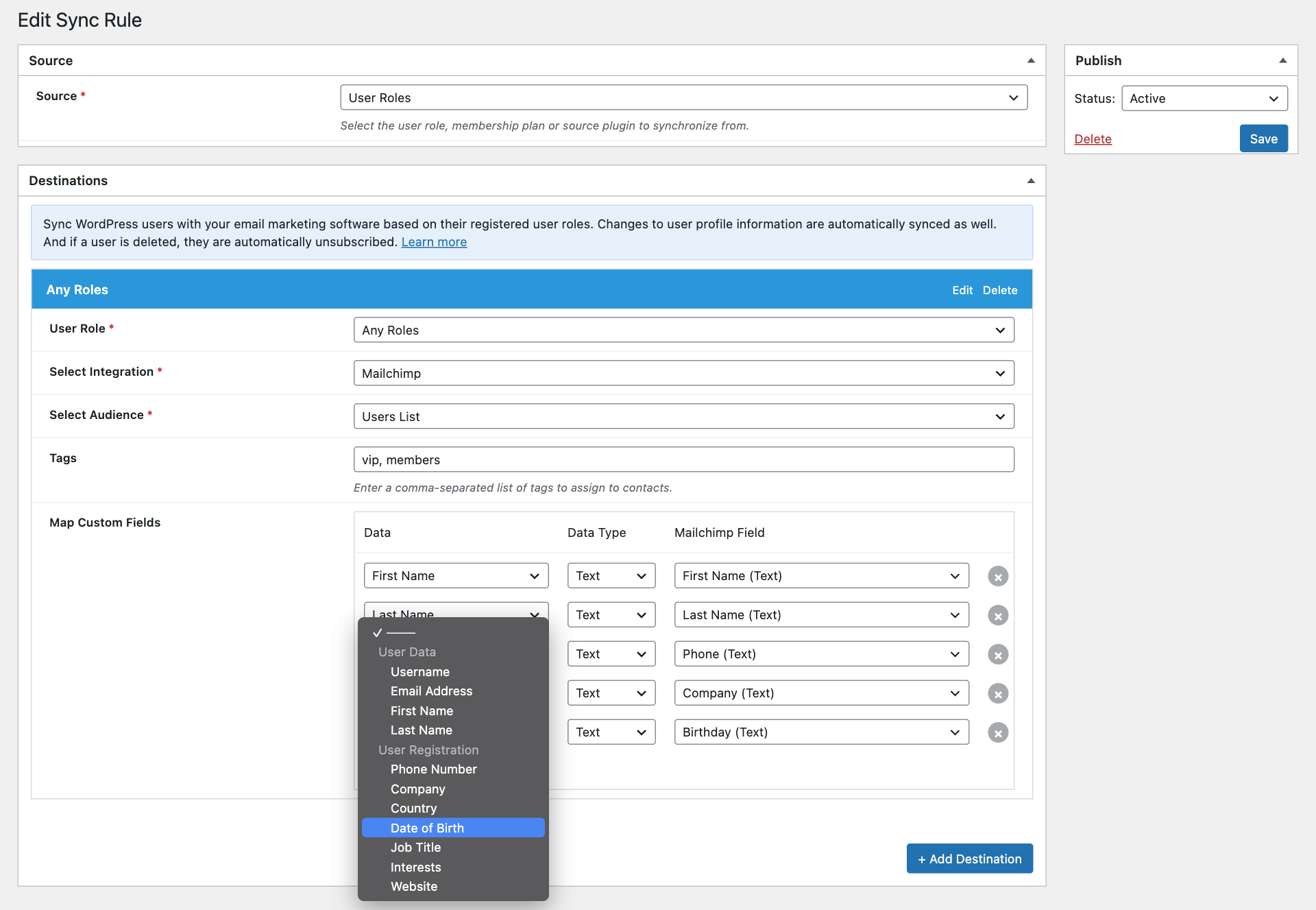
If your email marketing software supports custom fields, you can map user information as well as their User Registration custom field information to your CRM contact or merge fields. The custom fields from your published User Registration forms are listed under User Registration in the field dropdown. Password, file upload, and layout fields are not listed, and standard fields like name and email address are already available as WordPress user data.
You can also assign tags to users who register via a User Registration form if your email marketing and CRM software supports it.
Finally, save your changes.
Please note that when users update their profile information, either from the default user profile page in the WordPress dashboard or from User Registration’s front-end My Account page, their profile or contact in your email marketing software and CRM will be updated to reflect the changes.
Want to only subscribe users who agree to receive your emails? FuseWP can add an opt-in checkbox to your User Registration forms. See How to Add an Opt-in Checkbox to User Registration Forms.
Conclusion
Connecting User Registration to email marketing software and CRM with FuseWP offers seamless integration that can significantly improve your ability to engage with your website users and build stronger relationships.
With FuseWP, you can automate email campaigns, sync WordPress users and profile updates, and seamlessly connect to your preferred email marketing platform, marketing automation, and CRM.
Start connecting User Registration to your email marketing software with FuseWP today for streamlined integration and stronger user engagement.