
Do you want to ask Easy Digital Downloads customers whether they want your emails before adding them to your email list?
FuseWP enables you to add an opt-in checkbox to the Easy Digital Downloads (EDD) checkout, so only customers who tick it are synced to your email marketing software or CRM.
In this article, you will learn how to add the opt-in checkbox to EDD checkout and when a customer counts as opted in.
This feature requires FuseWP Pro. If you are new to the opt-in checkbox, start with Getting Started with the Opt-in Checkbox.
Adding the Opt-in Checkbox to EDD Checkout
First, make sure you have an EDD sync rule, for example one with Easy Digital Downloads Products as the source, that sends customers to your email list.
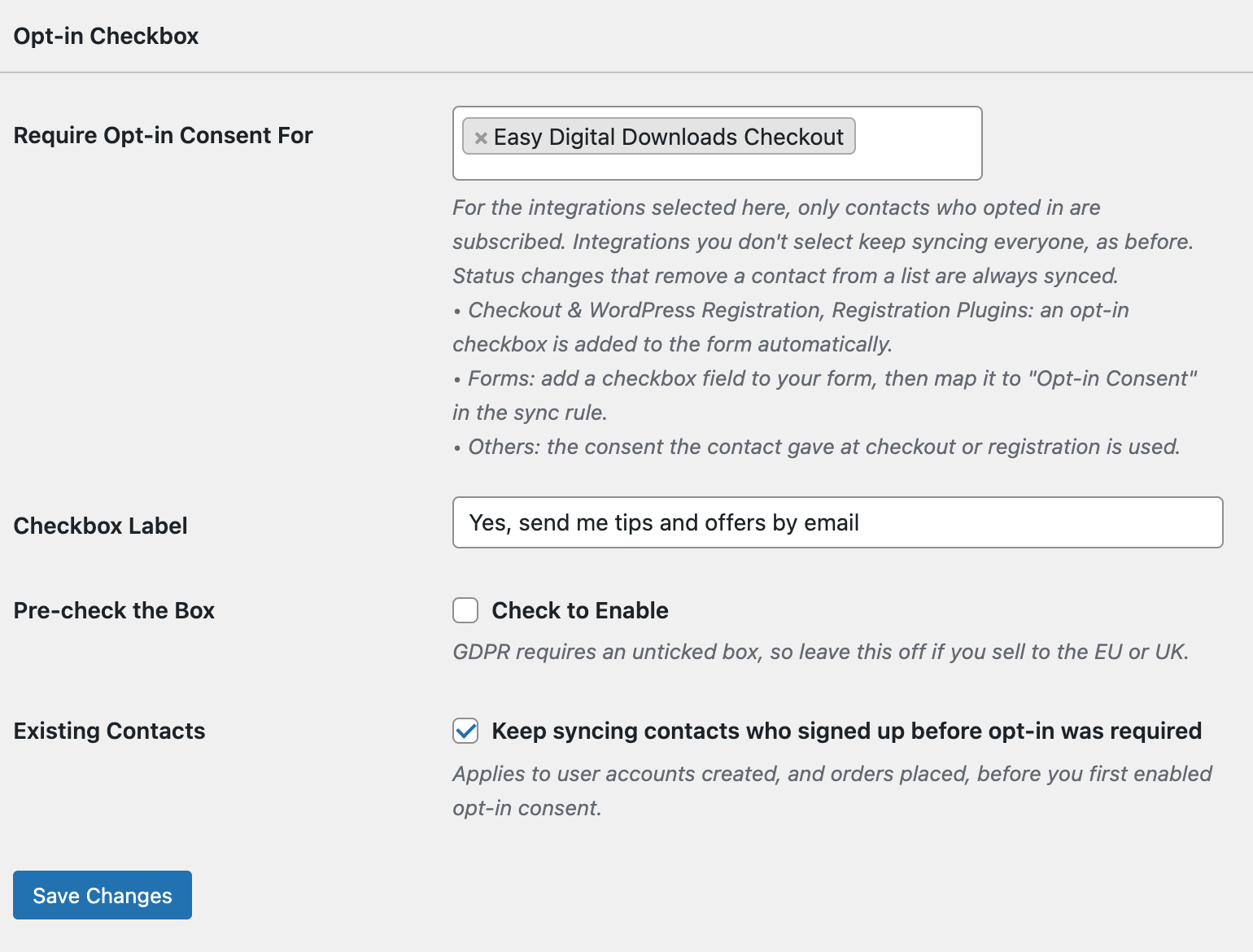
Go to FuseWP >> Settings >> General and scroll to the Opt-in Checkbox section. In Require Opt-in Consent For, select Easy Digital Downloads Checkout.
Set the Checkbox Label and click Save Changes.
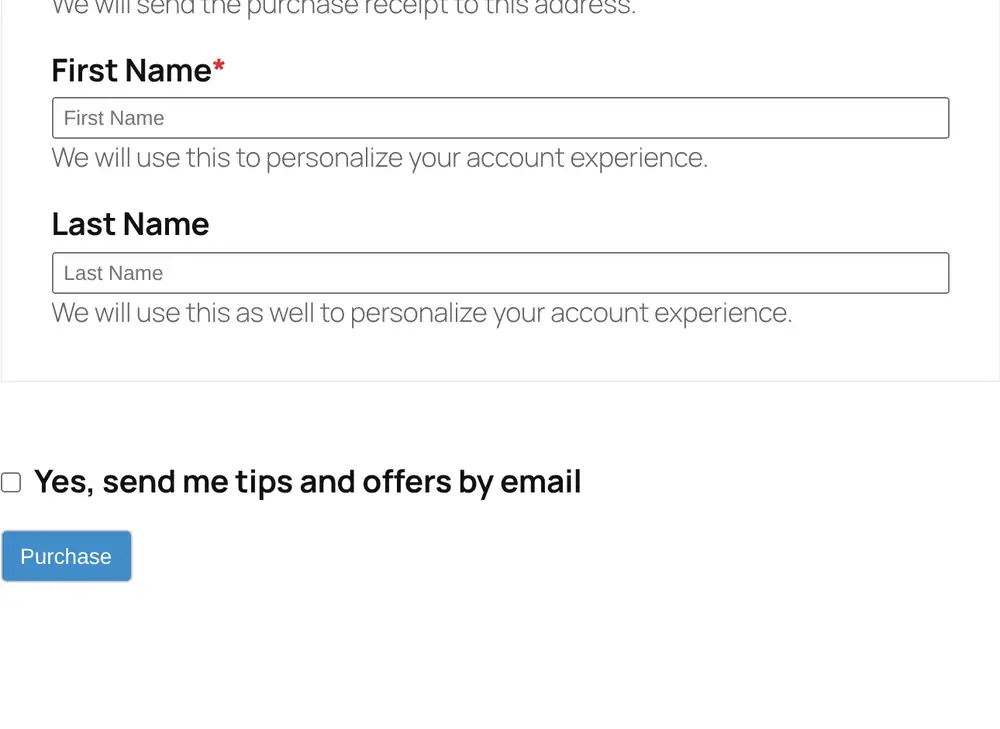
The checkbox now appears just above the Purchase button.
Which Syncs It Affects
Selecting Easy Digital Downloads Checkout requires consent for:
- Easy Digital Downloads Products
- Easy Digital Downloads Categories
- Easy Digital Downloads Tags
- Easy Digital Downloads Recurring Payments
When the Customer Counts as Opted In
The tick is saved on the order. The customer counts as opted in once the purchase is complete. An abandoned or failed purchase does not opt anyone in.
Things to Know
- Existing customers: with Existing Contacts on, customers who have a WordPress account created before you turned this on keep syncing. Guest purchases made before then are not covered on EDD, so a bulk sync of old guest orders will skip them.
- Removing customers from lists still syncs without consent, for example after a refund.
Conclusion
That’s how easy it is to collect email consent on your Easy Digital Downloads checkout with FuseWP. Customers who tick the box are added to your list; everyone else can still buy as normal.