
Do you want people who join your wpForo forum to choose whether they also receive your emails?
A forum sign-up is a good moment to invite someone onto your list, but not everyone who registers to ask a question wants a newsletter. FuseWP adds an opt-in checkbox to wpForo’s sign-up page. New members who tick it are added to your email marketing software or CRM. Those who don’t still register, post and reply as normal.
This guide shows you how to set it up, what new members see, and why your sign-up page will only ever show one checkbox.
The checkbox is free in FuseWP. For an overview of the feature, see Getting Started with the Opt-in Checkbox.
How It Fits Into Your Forum
When someone registers on wpForo, a WordPress user account is created for them. FuseWP’s User Roles sync rules are what send those new users to your list. If you haven’t set that up, read how to connect wpForo to your email marketing software.
Selecting wpForo Registration puts a consent check in front of those rules: a new member is only subscribed if they ticked the box.
Setting It Up
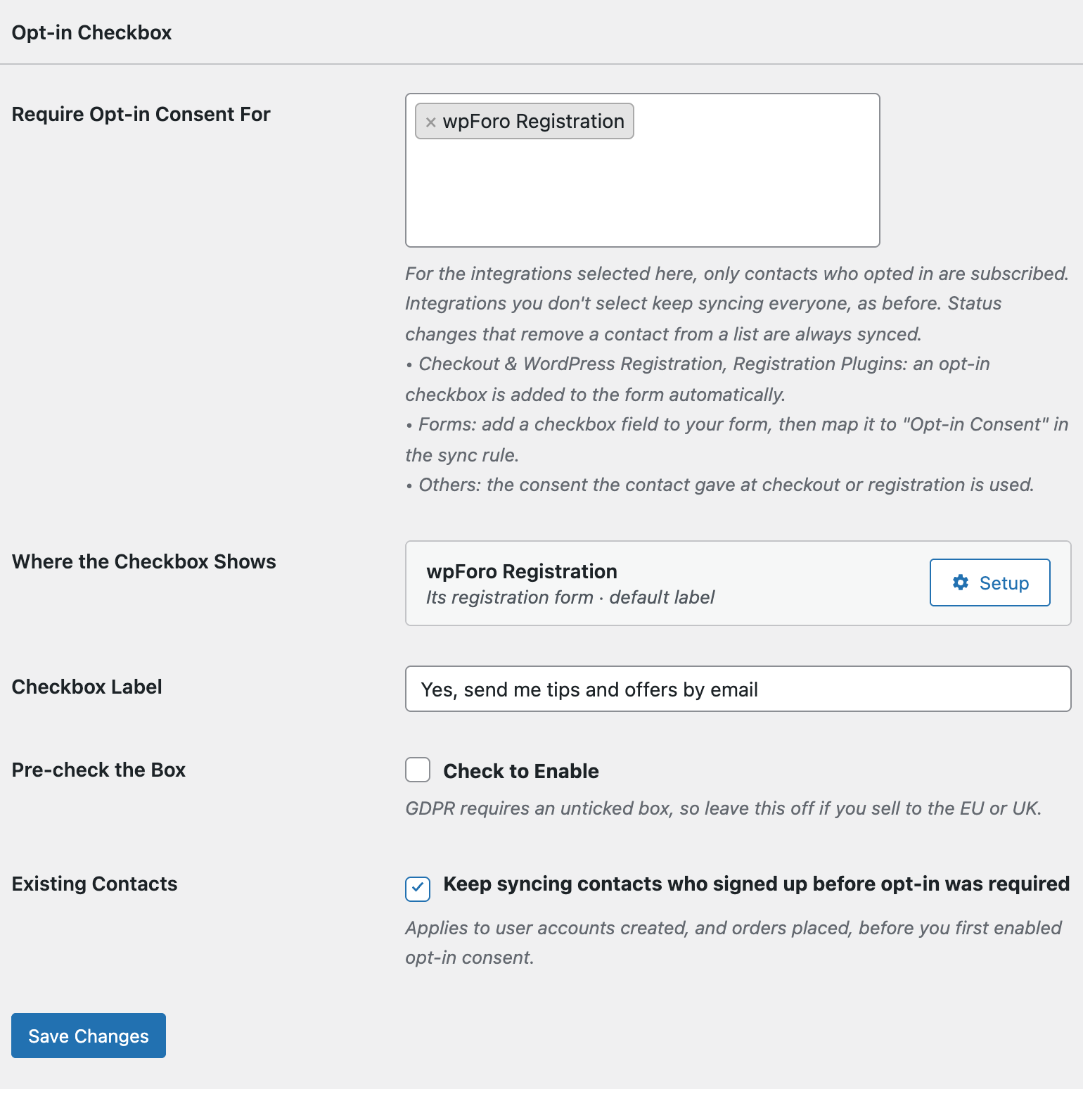
- Open FuseWP >> Settings >> General and scroll down to Opt-in Checkbox.
- Click into Require Opt-in Consent For and, in the Registration Plugins: adds an opt-in checkbox group, choose wpForo Registration. You’ll only see it while wpForo is active.
- Click Save Changes.
Writing a Label for Your Forum
wpForo has a single sign-up form, so there are no forms to choose between. Under Where the Checkbox Shows, the wpForo row is summed up as “Its registration form”. Click its Setup button and you’ll find just one field, Label.
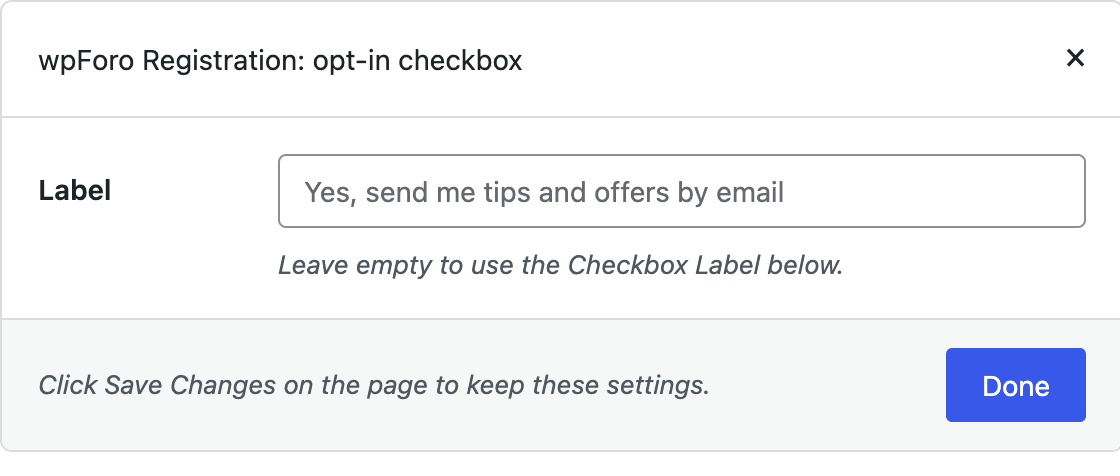
Use it to tell new members what they’re signing up for. A photography forum that sends a monthly round-up might use “Email me the best of the forum each month”. If you leave it empty, FuseWP uses your Checkbox Label setting, or “Subscribe to our newsletter” if that is empty too.
Click Done, then Save Changes.
What New Members See
On the forum’s sign-up page, the checkbox appears below the registration fields, just above the button that submits the form. That’s the spot wpForo keeps for other plugins to add their fields.
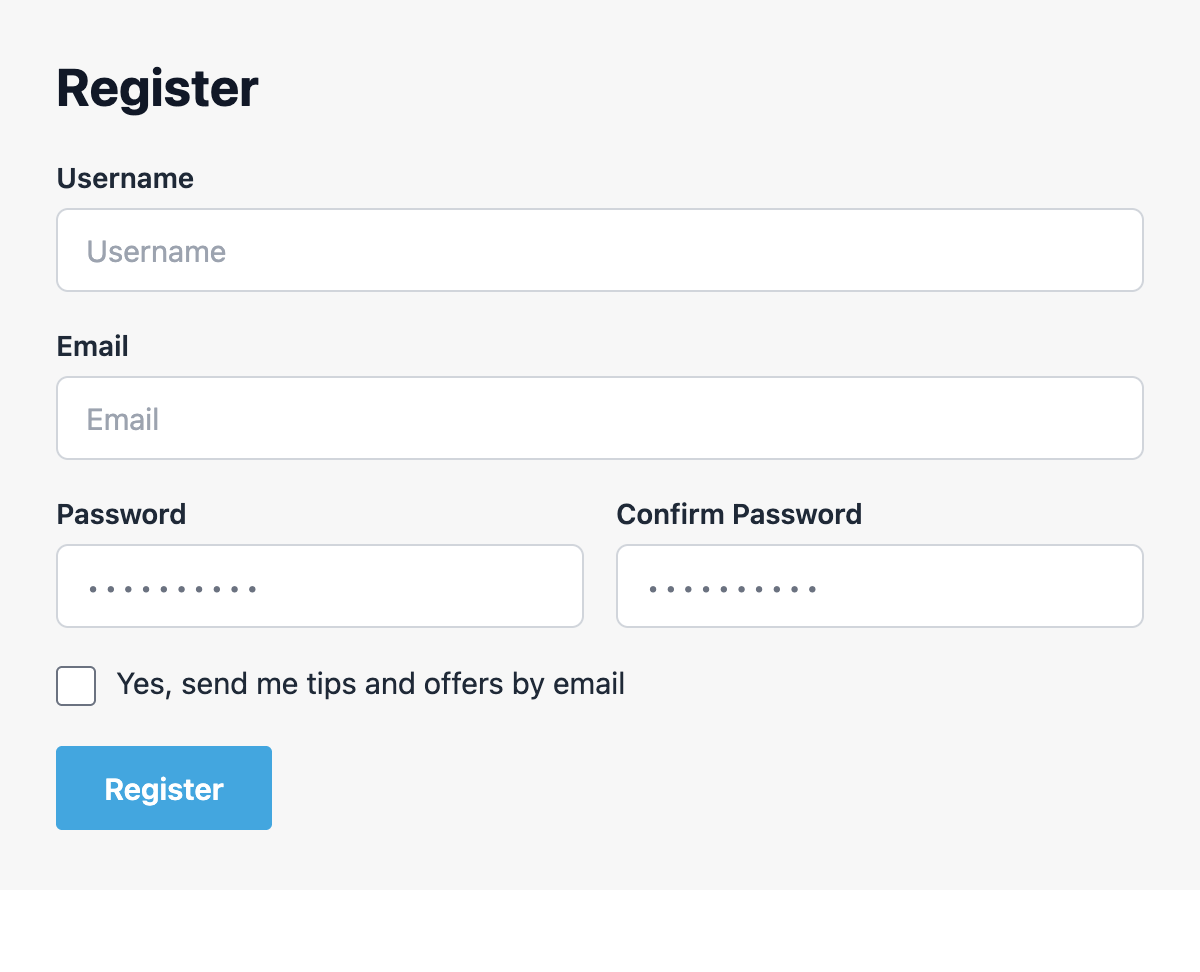
Members who are already logged in never see it, since they aren’t signing up.
Why You’ll Only See One Checkbox
wpForo’s sign-up page uses the same WordPress hook as the standard WordPress registration form. So if you have also selected WordPress Registration Form in the Opt-in Checkbox settings, its checkbox would normally show on the forum’s sign-up page too.
Selecting wpForo Registration prevents that. wpForo’s page shows its own checkbox in place of the WordPress one, so visitors see a single box, and the consent record says it was given on your wpForo sign-up page.
You can keep both selected. The WordPress one then covers the standard WordPress sign-up page, as explained in the WordPress registration opt-in checkbox guide.
When Consent Is Saved
Consent is saved the moment wpForo creates the account. That happens as soon as the form is submitted, even if your forum asks new members to confirm their email address or waits for a moderator to approve them: wpForo creates the account first and holds the login until then.
If registration fails, for example because the username is already taken, no account is created and nothing is recorded. Each consent record holds the member’s email address, where they opted in, their IP address and the time.
Things to Check
- Your existing members. With Existing Contacts on (the default), members who registered before you first required opt-in consent keep syncing.
- An old newsletter field. If you previously added a newsletter checkbox to the sign-up form yourself, FuseWP doesn’t read it. Remove it so members don’t see two boxes.
- Multisite networks. If your forum runs on WordPress Multisite and wpForo passes sign-ups to the network’s own sign-up process, the account isn’t created when the form is sent, so no consent is recorded. Test a sign-up before relying on it.
- Custom sign-up templates. A theme or add-on that replaces wpForo’s sign-up template without its form hook won’t show the checkbox.
Conclusion
Adding FuseWP’s opt-in checkbox to wpForo lets new forum members join your list only when they want to, without getting in the way of registration. For details on stored consent, GDPR exports and erasure, read Existing Contacts, Privacy & FAQ.